5 -
1
2
3
4
5
6
7
8
9
10
11
12
13
14
15
16
17
18
Parts catalogue
Caution
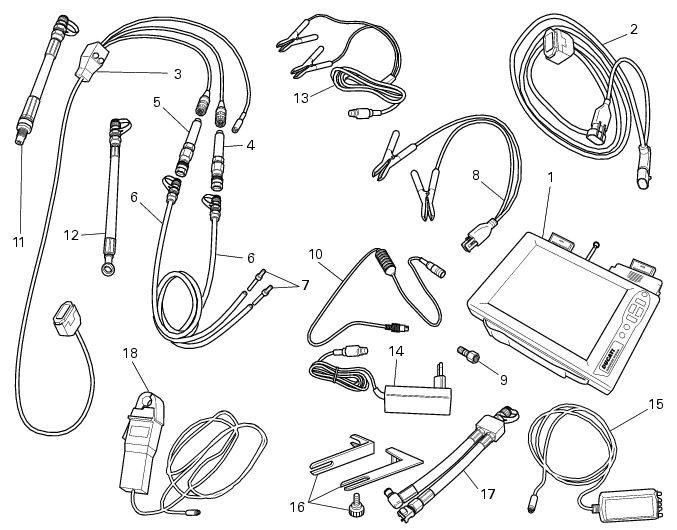
Bold reference numbers in this section identify parts shown in this exploded view diagram. These parts do not appear in the figures near the text.
Tester description
The “DDS” diagnostic system lets you diagnose any faults in the injection-ignition system via a serial port. This system provides a full range of features to test a number of motorcycle devices, measure the current and voltage outputs from any electrical items, test individual components and take pressure and temperature measurements.
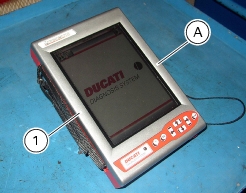
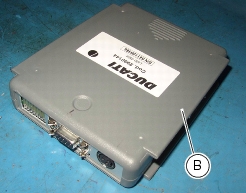
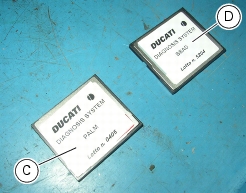
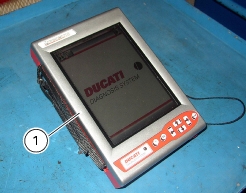
The DDS (1) consists of a palmtop display (A), a BBAD self-diagnosis module (B), a display memory card (C) and a BBAD memory card (D).
The palmtop touch screen display (A) displays data and allows settings to be made via the suitable pen, housed in the hole on the side of the display.
Self-diagnosis module (B) establishes communication of the DDS (1) with the vehicle control unit.
The user interface software resides in the display memory card (C) located in the palmtop display (A).
The software for communicating with the DUCATI control units resides in the BBAD memory card (D) located in the BBAD module (B).
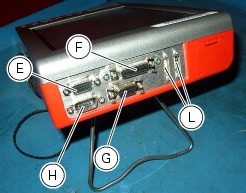
The base unit features two connection areas: one at the top and one at the bottom.
The top one has 6 connectors:
-
-
-
-
-
The bottom one has 3 connectors:
-
-
-
A printer can be connected to the DDS (1) via the serial port (COM1) (G) positioned on top of the instrument (1) in order to print test reports.
Specifications
Power supply:
-
-
Components supplied with the DDS
The DDS (1) is supplied in a DDS kit, together with:
DDS rechargeable battery
Battery charger
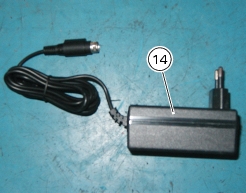
Mains power supply
USB memory card reader
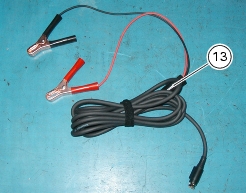
Power and diagnosis cable with fuse
CD for DDS software installation - PC version
USB cable
Belt tension sensor
Instrument power supply
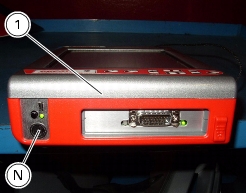
The DDS (1) can be powered as follows:
-
-
-
from the instrument own battery: the battery (Q) is located at the top of the instrument. Please refer to the "User's Manual" supplied with the DDS for instructions on how to use the instrument (1) with its battery and how to charge it.
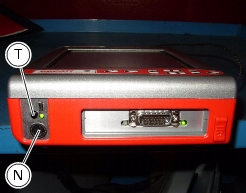
Press button (T) to switch on the display.
Connection to the bike
Supply voltage must be between 9 and 16 Volt DC.
Make sure voltage never drops below this limit during operation: this could happen when starting the engine or when the engine is idling if the bike battery is in less than perfect operating conditions. If the tester detects a power supply voltage below 9 Volts, it will abort any procedures underway at that time. Once voltage is again within specified limits, you will have to repeat procedure set-up.
 
The DDS (1) can be powered from the vehicle as follows:
-
-
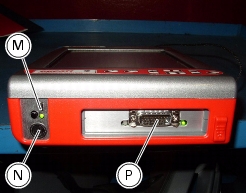
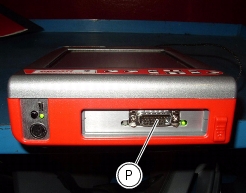
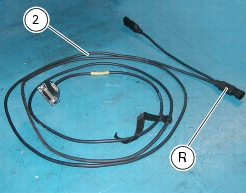
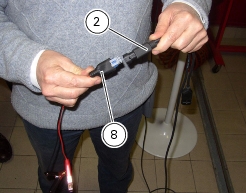
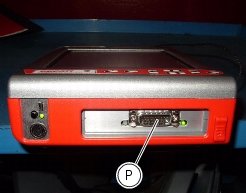
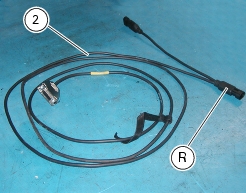
connecting the power and diagnosis cable (2) to instrument diagnosis connector (P); connecting battery adapter (8) to power and diagnosis cable connector (R) and then connecting the adapter to the vehicle battery.
-
DDS diagnosis instrument
In short, the "DDS" has the following functions:
-
-
-
Active diagnosis. Enabling of ignition-injection system transducers to check for proper operation and correct control signal (fuel pump, ignition coils, rev counter, injectors and so on). This function also allows CO adjustment via software and electronic code entry to override the immobilizer.
-
-
Checking and adjusting timing belt tension
Note
A table at the end of this section explains the icons used in this procedure.
Note
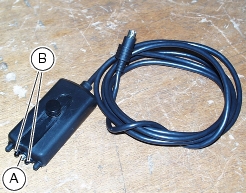
Both timing belts can be checked and adjusted using the DDS leaving the engine onto the frame. For this purpose, connect an optical reader to the DDS. The green led onto the reader shows correct positioning before the timing belt. The reader also features an infra-red emitter (A) and a receiver (B) to detect timing belt vibrations whilst being duly flicked with a finger.
 
Remove the spark plugs.
Rotate the crankshaft until bringing the piston of the horizontal cylinder at TDC during the combustion stroke.
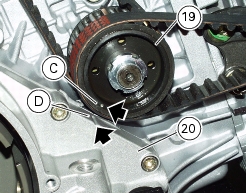
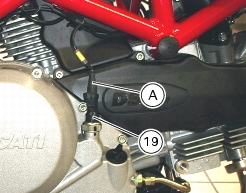
This is indicated by the mark (C) on the timing layshaft belt roller (19) aligning with the mark (D) on the clutch cover (20).
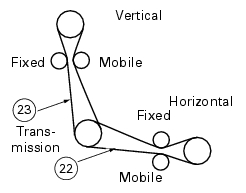
Read horizontal belt tension on section (22) as described in “Measuring the timing belt tension values”.
Turn the crankshaft by 270° in its direction of rotation (TDC of the vertical cylinder, in the combustion stroke), and repeat the same procedure used for the horizontal cylinder, reading tension on section (23) of the vertical belt.
Disconnect the belt tension sensor and the DDS from the vehicle.
 
Measuring the timing belt tension values
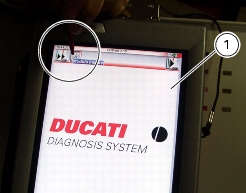
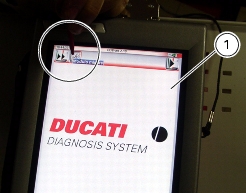
Switch on the DDS (1), refer to "Instrument power supply".
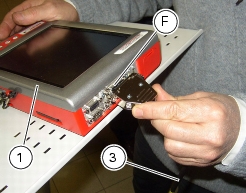
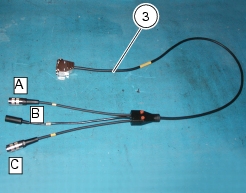
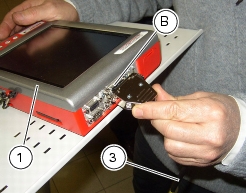
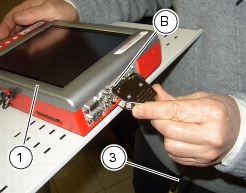
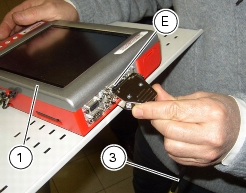
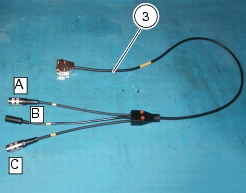
Connect the power and diagnosis cable (Measurement Module) (3) to measurement module connector (F) of the DDS (1).
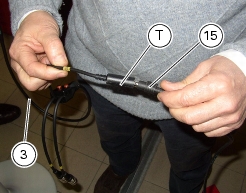
Connect the belt tension sensor (15) to power and diagnosis cable (Measurement Module) (3) connector (T).
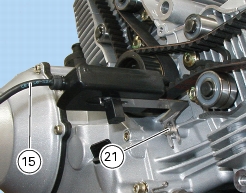
Secure the belt tension sensor bracket (15) using belt cover screw (21).
Aim the middle green led of the sensor (15) at the centre of the belt section by positioning the sensor (15) at the same level of the belt at a distance of 1-1.5 cm.
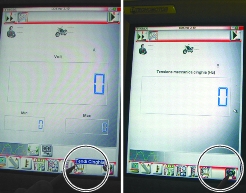
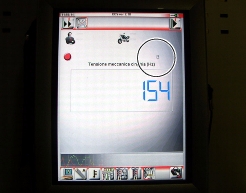
Press on "Measurement module" icon on DDS (1) to select the "Measurement module" function; then press on "Belt tension" icon and then "Start" to enter the "Belt mechanical tension" page.
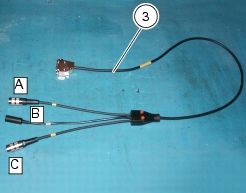
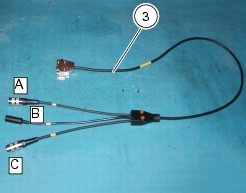
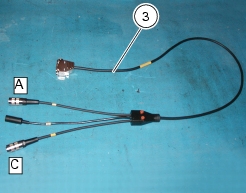
The page shows you which socket of the cable (Measurement Module) (3) is to be used with a capital A, B or C.
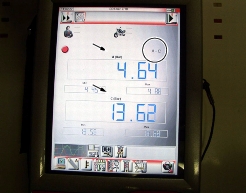
Lightly flick the belt with a finger and then read frequency value (Hz) on the DDS.
Note
Do not flick several times, as the DDS needs at least 1 second to read the value.
 
Tensioning values are the ones specified in Sect. C 1.1, Timing/valves, and must be checked with engine cold: assembly values must be complied with when installing a new belt, while service values must apply when belt tension reaches 70 Hz.
Warning
Timing belt tension could decrease in time as a result of normal wear and tear. When checking belt tension, restore specified service values (Sect. C 1.1, Timing/valves) when reading is below 70 Hz.
 
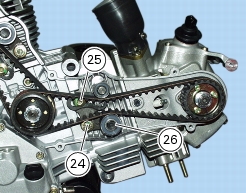
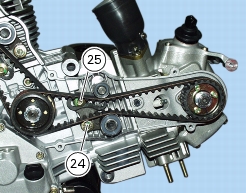
Should the tension be incorrect, tension or slacken the belt by turning screws (24) and (25) securing the mobile tensioner rollers.
Lift the mobile tensioner (26) by hand to stretch the timing belt or lower down to slacken.
 
Note
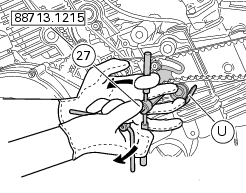
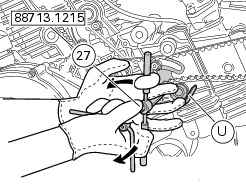
If the crankcase has been removed from the frame, turn screw (24) using the suitable tool (27) and position tool pusher (U) on the tensioner.
Caution
Turn the pusher (U) anticlockwise to stretch the belt or clockwise to slacken.
Take belt tension value once again.
Repeat until reaching the specified tension value.
Once recommended tensioning value is set, tighten the screws (24) and (25) to the specified torque (Sect. C 3, Engine torque settings).
Zero setting the throttle position sensor (TPS)
A non-adjustable linear throttle position sensor is fitted onto the throttle body. The control unit should therefore learn sensor zero position as described below.
Warning
When the throttle body or electronic control unit have been replaced, perform this procedure first before starting the engine.
 
Ensure that throttles are against the stop screw (throttle twistgrip fully closed).
Throttle position sensor angle should be learned by the CPU under the above conditions. Use the DDS as described below.
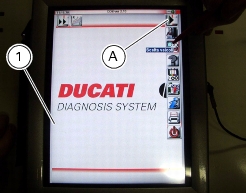
Switch on the DDS (1), refer to "Instrument power supply".
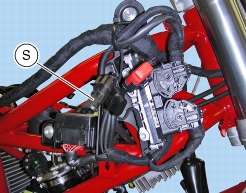
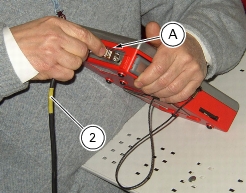
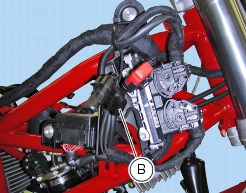
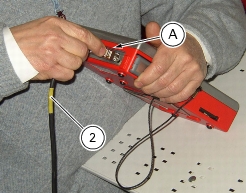
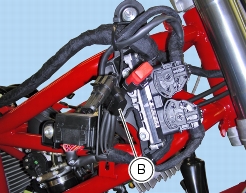
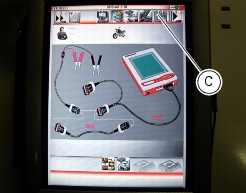
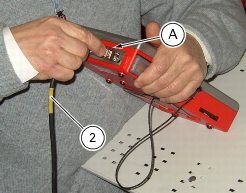
Connect power and diagnosis cable (2) to DDS diagnosis connector (A) and then connect power and diagnosis cable to the bike's diagnosis socket (B).
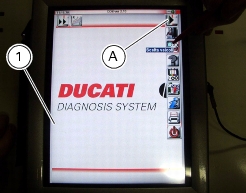
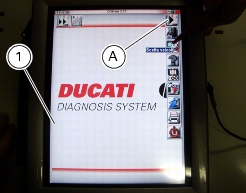
Enter the general functions menu, pressing "Menu Key 1" icon (A).
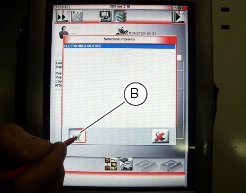
Press the "Vehicle selection" icon and press "Vehicle selection" icon in the following page; choose the model and confirm, then select the version and confirm.
Press "System selection" icon displayed to show the vehicle systems that can be diagnosed.
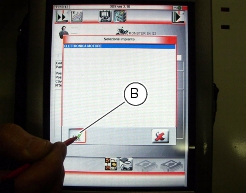
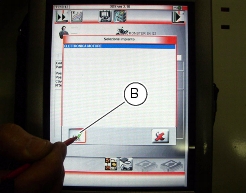
Select "Engine electronic system" and press "Confirm" (B) to confirm. Then press "Self-diagnosis" icon to enter self-diagnosis function.
The DDS interrogates the control unit and the elements under analysis are displayed together with their relevant values.
Note
Perform the necessary connections with the ignition key set to OFF.
 
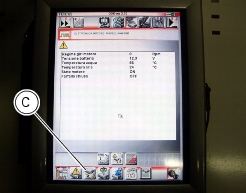
Press "Settings" icon to display the special parameters.
Select "TPS reset" and press "Execute".
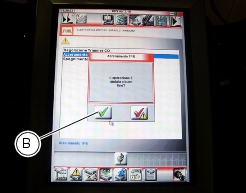
If the operation is performed, the message "Was the operation successful?" is displayed, press “Confirm” (B).
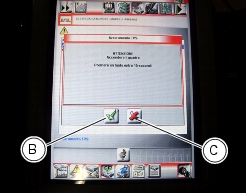
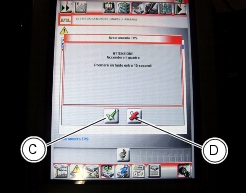
If there are problems in performing the operation, the relevant error messages are displayed: you need to confirm or reject each message by pressing "Confirm" (B) or "Exit" (C), respectively.
The zero setting procedure establishes a connection between electronic control unit and throttle body. For this reason, the zero setting procedure must be repeated each time the throttle body, throttle position sensor or electronic control unit are replaced.
Adjusting idling condition
Note
1
2
Procedure
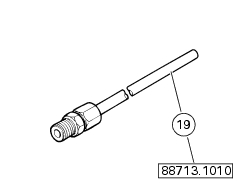
Connect exhaust gases analyzer inserts part No. 88713.1010 to exhaust pipes intakes using connectors (19).
Connect the DDS and select the vehicle HYPERMOTARD 1100.
Make sure that the horizontal throttle pulley is fully home on the set screw (throttle fully closed).
Make sure that the throttle cable has a correct clearance.
Reset the TPS as indicated in "Zero setting the throttle position sensor (TPS), in this section.
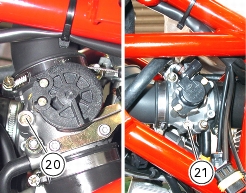
Open both by-pass screws by one turn, starting from fully closed position.
Check:
-
-
that engine is in the idle running conditions, i.e. that the closed throttle parameter on the DDS is ON.
Start the engine and wait for the engine temperature to reach 75 °C (DDS reading). When engine temperature is above 75 °C you can start the following adjustment procedure; always bear in mind that at the end of the adjustment engine temperature should not exceed 90 °C.
Warning
If the engine stops before the CO rate is adjusted, wait for a minute after starting so as to complete mixture enrichment phase (Crack time).
 
1
Check the lambda value λ on both cylinders. The following cases may apply:
1a. both cylinders have an average λ (lambda value) equal to 1 or lower; go to step 2.
1b. one or both cylinders have a lambda value λ higher than 1: open the by-pass screw of the cylinder with a lower λ (lambda) by 1/4 of a turn, allow about 20 seconds for the exhaust gas to reach the analyser and check that the λ (lambda) of both cylinders is on average equal to 1 or lower. If necessary, set it to this value. If the desired value is not reached following this procedure, close by 1/4 of a turn the bypass screw of the cylinder having the higher lambda value. As soon as the correct λ (lambda) is obtained in both cylinders, move on to step 2.
2
2a. if rpm average reading is between 1250 and 1350 rpm (1300 ±50 rpm), adjustment is completed;
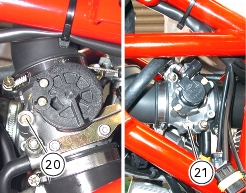
2b. if the average reading is lower than 1250 rpm, loosen both bypass screws (20) and (21) in steps of 1/8 of a turn, until the rotation speed value is within the above limits. Similarly, if the rotation speed is averagely higher than 1350 rpm, close both bypass screws (20) and (21) in steps of 1/8 of a turn, until the rotation speed value is within the above limits.
Actions needed when idle speed adjustment procedure is not successful.
1
2
check the lambda value λ of the exhaust gas output by both cylinders, by “reading” with the exhaust gas analyser both cylinders at the same time. (You can do this by opening both analyser taps):
-
the λ (lambda) shall be automatically kept within the 0.95 - 1.05 range by engine electronic control system;
-
-
3
Warning
The idle speed adjustment shall prevail on cylinders vacuum synchronisation; so, different vacuum values between the horizontal and vertical cylinders are acceptable if the idle speed adjustment is correct.
 
-
-
Cylinder vacuum synchronization
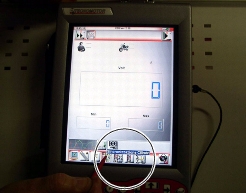
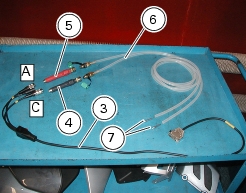
Connect the Measurement Module cable (3) to Measurement Module connector of the DDS as described under "Tester description". Switch on the DDS, refer to "Instrument power supply". Enter "Measurement module" function. Press "Cylinder synchronisation" icon.
The page shows you which socket of the cable (Measurement Module) (3) is to be used with a capital A, B or C.
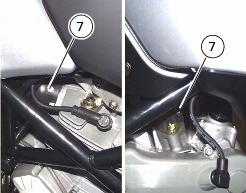
Remove the screws from intake manifolds and install couplings (7) in the seat of screws previously removed.
Press "Start" to start the pressure measurement in the cylinders.
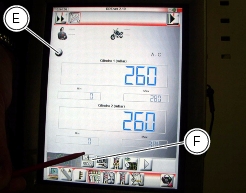
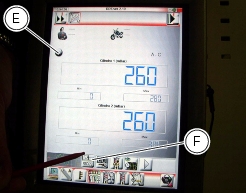
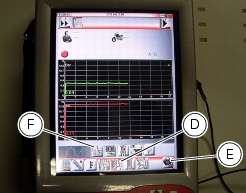
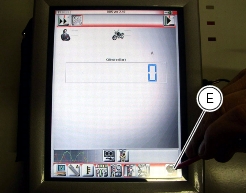
This page shows indicator (E) that needs to be activated by pressing “Reset” (G): indicator (E) will be red when function is live. Press icon (G) before starting the test. Connect sensors (4) and (5) to tubes (6) and then start the engine.
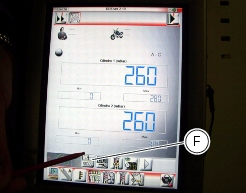
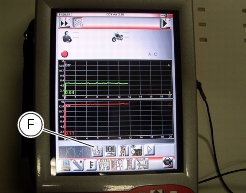
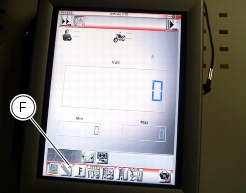
Check “cylinders synchronisation” to ensure that the two vacuums inside the manifolds are aligned. Values can be displayed as numbers or as graphs, press "Display mode" (F) to select the display mode. Press "Reset" to reset the values.
To obtain vacuum balance, turn the by-pass screw (20) or (21) until obtaining overlapping lines on the graph, if graphic display was chosen, or the same reading if the numerical display was chosen.
Vacuum is balanced when the two lines on the graph overlap or when the two values are equal.
Checking engine oil pressure
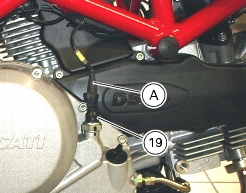
Take oil circuit pressure through engine oil pressure sensor outlet (19) as follows:
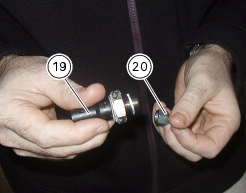
Disconnect connector (A) and remove the pressure switch (19). Be sure to collect the seal.
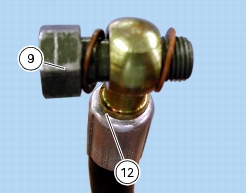
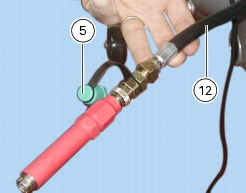
Insert fitting (9) in the hose (12) fitting, and place two copper washers (20) in-between. Screw the connector (9) of the hose (12) into the threaded hole (M10x1mm) in the RH cover. Screw the connector all the way in. Refit the pressure switch (19) complete with seal to the connector (9) and reconnect it to the electric system connector (A).
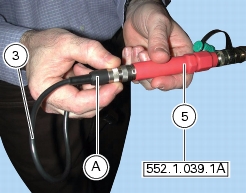
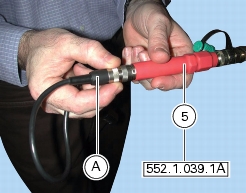
Connect the pressure sensor (5), to the hose (12), in order to convert the pressure reading into an electric signal.
Switch on the DDS (1), refer to "Instrument power supply".
Connect the power and diagnosis cable (Measurement Module) (3) to measurement module connector (B) of the DDS (1).
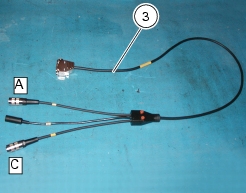
Connect the pressure sensor (5) to port (A) or (C) of cable (3).
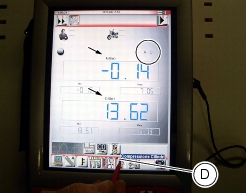
Press "Measurement module" icon on DDS (1) to select the "Measurement module" function; then press on "Pressure Measurement" icon (D) and then "Start" (E).
The page shows you which socket of the cable (Measurement Module) (3) is to be used with a capital A, B or C.
Start the engine.
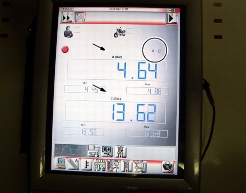
Values can be displayed in three ways: as numbers (one mode) or as graphs (two modes); press "Display mode" (F) to select the display mode.
Measured value is indicated next to letter (A) or (C) depending on the cable used: if socket (A) of cable (3) is used, measured value will correspond to letter (A) on the screen.
Oil pressure test values:
Warm engine
(Oil temperature at least = 80°C)
1100-1300 rpm
over 0.8 bar
3500-4000 rpm
over 4 bar
Caution
Maximum pressure must not exceed 6.0 bar.
 
A pressure which is too high indicates that the pressure-relief valve is jammed. A pressure which is too low indicates that the pressure-relief valve is jammed in the open position, that the spring is too weak, or that the oil pump is faulty. Other causes of incorrect pressure readings include: badly worn seals and gaskets, badly worn engine.
Remove the gauges and refit the pressure switch (19) with its seal. Tighten it to the specified torque (Sect. C 3, Engine torque settings).
Connect the electrical connector (A) to the pressure switch.
Disconnect the DDS.
Checking cylinder compression
Note
A table at the end of this section explains the icons used in this procedure.
 
The performance and efficiency of an engine are directly linked to the compression inside the combustion chambers of the two cylinders.
Compression which is too high/low or a large compression difference between the two cylinders will cause a drop in engine performance and can cause engine breakdowns.
To perform this check it is necessary to have available a suitable test equipment, with adapter for the installation in the spark plug seat.
Start the engine and let it warm up for at least 10 minutes.
Open the throttles fully.
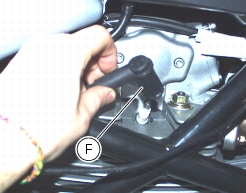
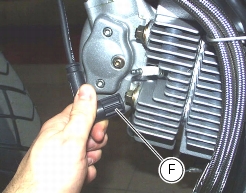
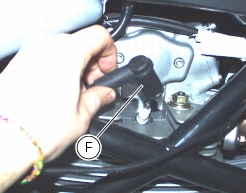
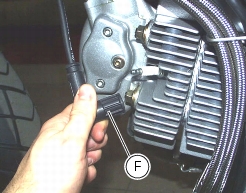
Slide out the cables (F) from spark plugs.
Remove the spark plug from the cylinder to be checked.
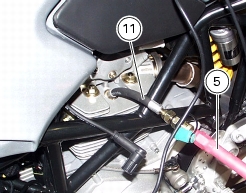
Screw the cylinder compression cable (11) into the spark plug hole.
Connect the pressure sensor (5) to cable (11).
Switch on the DDS (1), refer to "Instrument power supply".
Connect the power and diagnosis cable (Measurement Module) (3) to measurement module connector (B) of the DDS (1).
Connect the pressure sensor (5) to port (A) or (C) of cable (3).
Note
Take the reading in one cylinder at a time.
Press "Measurement module" icon on DDS (1) to select the "Measurement module" function; then press on "Cylinder compression" icon (D) and then "Start" (E).
The page shows you which socket of the cable (Measurement Module) (3) is to be used with a capital A, B or C.
 
Crank the engine using the starter motor until the pressure reading stops rising.
Check the compression of both cylinders.
-
-
-
Excessively high compression readings indicate the following:
-
Low compression readings indicate:
-
-
-
-
-
Refit the spark plug on which you worked and position coil-spark plug cables (F) into their seats.
Checking fuel pressure
Note
A table at the end of this section explains the icons used in this procedure.
 
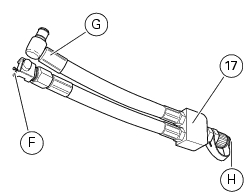
To check fuel pressure, use fuel pressure line (17).
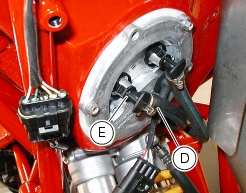
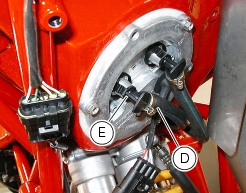
Remove the fuel delivery tube (D) on the left side of the flange with coupling (E).
Using fuel pressure tube (17), connect one end (F) to flange and the other end (G) to coupling (E): in this way you create a pressure pick-up point (H).
Connect the pressure sensor (5), to the port (H) of hose (17), in order to convert the pressure reading into an electric signal.
Switch on the DDS (1), refer to "Instrument power supply".
Connect the power and diagnosis cable (Measurement Module) (3) to measurement module connector (E) of the DDS (1).
Connect the pressure sensor (5) to port (A) or (C) of cable (3).
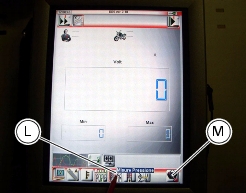
Press "Measurement module" icon on DDS (1) to select the "Measurement module" function; then press on "Pressure Measurement" icon (L) and then "Start" (M).
The page shows you which socket of the cable (Measurement Module) (3) is to be used with a capital A, B or C.
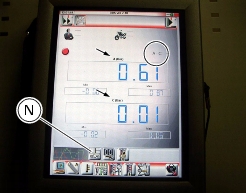
Values can be displayed in three ways: as numbers (one mode) or as graphs (two modes); press "Display mode" (N) to select the display mode.
Measured value is indicated next to letter (A) or (C) depending on the cable used: if socket (A) of cable (3) is used, measured value will correspond to letter (A) on the screen.
Maximum pressure must be 3 bar (nominal pressure).
When through with the test, remove the components of the diagnosis instrument and refit the delivery tube (D), secure it with clamp (E).
Procedure to override the immobilizer system
Note
A table at the end of this section explains the icons used in this procedure.
 
If the immobilizer is faulty, follow the emergency procedure to start the engine described in Sect. P 7, Immobilizer override procedure that consists in entering the emergency code, also using the DDS.
Switch on the DDS (1), refer to "Instrument power supply".
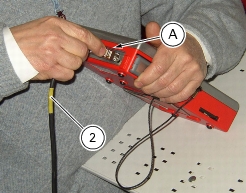
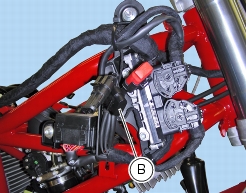
Connect power and diagnosis cable (2) to DDS diagnosis connector (A) and then connect power and diagnosis cable to the bike's diagnosis socket (B).
Enter the general functions menu, pressing "Menu Key 1" icon (A).
Press the "Vehicle selection" icon and press "Vehicle selection" icon in the following page; choose the model and confirm, then select the version and confirm.
Press "System selection" icon displayed to show the vehicle systems that can be diagnosed.
Select "Engine electronic system" and press "Confirm" (B) to confirm. Then press "Self-diagnosis" icon to enter self-diagnosis function.
The DDS interrogates the control unit and the elements under analysis are displayed together with their relevant values.
Note
Perform the necessary connections with the ignition key set to OFF.
 
Press "Actuators" (C) to display actuators and components connected to ECU.
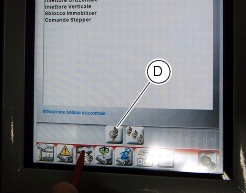
Select "Immobilizer override" and press "Execute" (D).
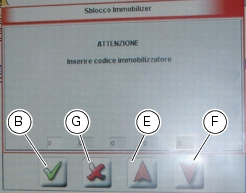
A box is displayed with a field for the five figures of the emergency code. Use the red arrows (E) and (F) to enter each digit: confirm each digit entered pressing "Confirm" (B).
Once the code is complete, press "Confirm" (B).
If the operation is performed, the message "Was the operation successful?" is displayed, press “Confirm”.
If there are problems in performing the operation, the relevant error messages are displayed: you need to confirm or reject each message by pressing "Confirm" or "Exit" (G), respectively.
Remove the Diagnosis instrument.
Guided diagnosis
Note
A table at the end of this section explains the icons used in this procedure.
 
The DDS guides the operator step by step through the various diagnosis stages and provides the descriptions and the documents on the different vehicle components such as wiring diagrams for the electronic systems and details on the system layout and parts location.
Switch on the DDS (1), refer to "Instrument power supply".
Connect power and diagnosis cable (2) to DDS diagnosis connector (A) and then connect power and diagnosis cable to the bike's diagnosis socket (B).
Enter the general functions menu, pressing "Menu Key 1" icon (A).
Press the "Vehicle selection" icon and press "Vehicle selection" icon in the following page; choose the model and confirm, then select the version and confirm.
Press "System selection" icon displayed to show the vehicle systems that can be diagnosed.
Select "Engine electronic system" and press "Confirm" (B) to confirm.
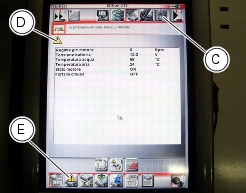
Press "Step-by-step diagnosis" icon (C) to enter the "Step-by-step diagnosis" function.
A few pages will give indications on the procedure for a correct diagnosis.
It is possible to enter the Self-diagnosis function, pressing "Self-diagnosis" icon, to see if the system is faulty. If errors are present, the symbol (D) is displayed. Press "Errors" (E) to display the errors. Once errors are detected, it is possible to fix them using the Step-by-step diagnosis; press "Step-by-step diagnosis" icon (C).
The DDS interrogates the control unit and the elements under analysis are displayed together with their relevant values.
 
Checking the charging system
Note
A table at the end of this section explains the icons used in this procedure.
 
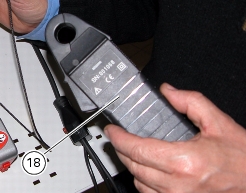
You can determine the engine rpm required for generator to produce just enough current to charge battery, feed the injection-ignition system and all electric items fitted to motorcycle. When applied to a cable, the ammeter clamp (18) detects the magnetic field generated by the current passing through that cable.
Remove the left half-fairing (Sect. E 2, Removing the side fairings).
Switch on the DDS (1), refer to "Connection to the bike".
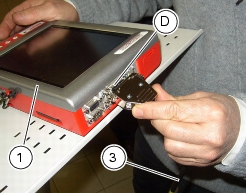
Connect the power and diagnosis cable (Measurement Module) (3) to measurement module connector (D) of the DDS (1).
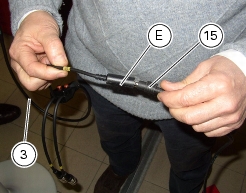
Connect the ammeter clamp to socket (E) of the power and diagnosis cable (Measurement Module) (3).
Warning
The ammeter clamp shall not be connected to live cables.
 
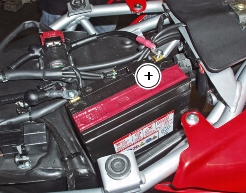
Then, apply the amperemeter clamp to the battery positive terminal lead with the arrow on the clamp pointing towards the battery positive (+) terminal.
Press "Measurement module" icon on DDS (1) to select the "Measurement module" function; then press on "Ammeter" icon (F) and then "Start".
The page shows you which socket of the cable (Measurement Module) (3) is to be used with a capital A, B or C.
If the measured current is a positive quantity, it means that generator is feeding all electric items and charging battery at the same time. A negative value means that charging system is not feeding the loads and a significant amount of current is supplied by the battery, currently discharging.
Refit the left half-fairing (Sect. E 2, Refitting the side fairings).
Turning off the "Service" warning on the instrument panel
If the multifunction display shows an adjustable wrench, it means that the motorcycle needs servicing as set in the Service Schedule.
 
After servicing the motorcycle, switch off the symbol as follows:
Note
A table at the end of this section explains the icons used in this procedure.
 
Switch on the DDS, refer to "Instrument power supply".
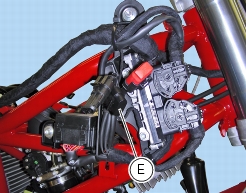
Connect the power and diagnosis cable (2) to the diagnosis connector (A), then connect the power and diagnosis cable to the motorcycle diagnosis socket (E).
Enter the general functions menu, pressing "Menu Key 1" icon (B).
Press the "Vehicle selection" icon and press "Vehicle selection" icon in the following page; choose the model and confirm, then select the version and confirm.
Press icon “Vehicle system selection”.
The display will show the vehicle systems that can be investigated.
Select “Engine electronics”.
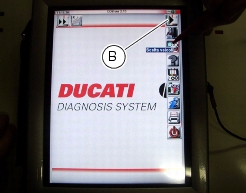
Press “Confirm” (C) to confirm.
Then press "Self-diagnosis" icon to enter self-diagnosis function.
The DDS interrogates the control unit and the elements under analysis are displayed together with their relevant values.
Press "Settings" icon to display the special parameters. Select "Service Warning switch-off" and press "Execute".
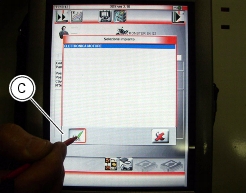
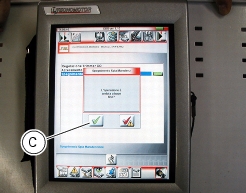
If the operation is performed, the message "Was the operation successful?" is displayed, press “Confirm” (C).
If there are problems in performing the operation, the relevant error messages are displayed: you need to confirm or reject each message by pressing "Confirm" (C) or "Exit" (D), respectively.
Note
After turning off the Service warning light with the DDS, position the ignition switch to OFF and allow at least 30 seconds before turning the key to ON.
Icons table